Make Calengaroo yours: hide apps, reorder them, and build your own bottom bar
Keep only the apps you use. In Calengaroo you can hide apps, drag them into any order, put your favorites on the bottom bar, and show your habits and journal right on the calendar.
 4 min read
Calengaroo has a lot of apps now: a calendar, tasks, a budget, notes, habits, a journal, timers, projects, workouts and more.
That’s great if you want all of them. But if you only came for the calendar, every extra button is noise. And noise is exactly what an ADHD brain doesn’t need.
So you decide what stays. Hide what you don’t use, put what you love on the bottom bar, and Calengaroo becomes your app, not ours.
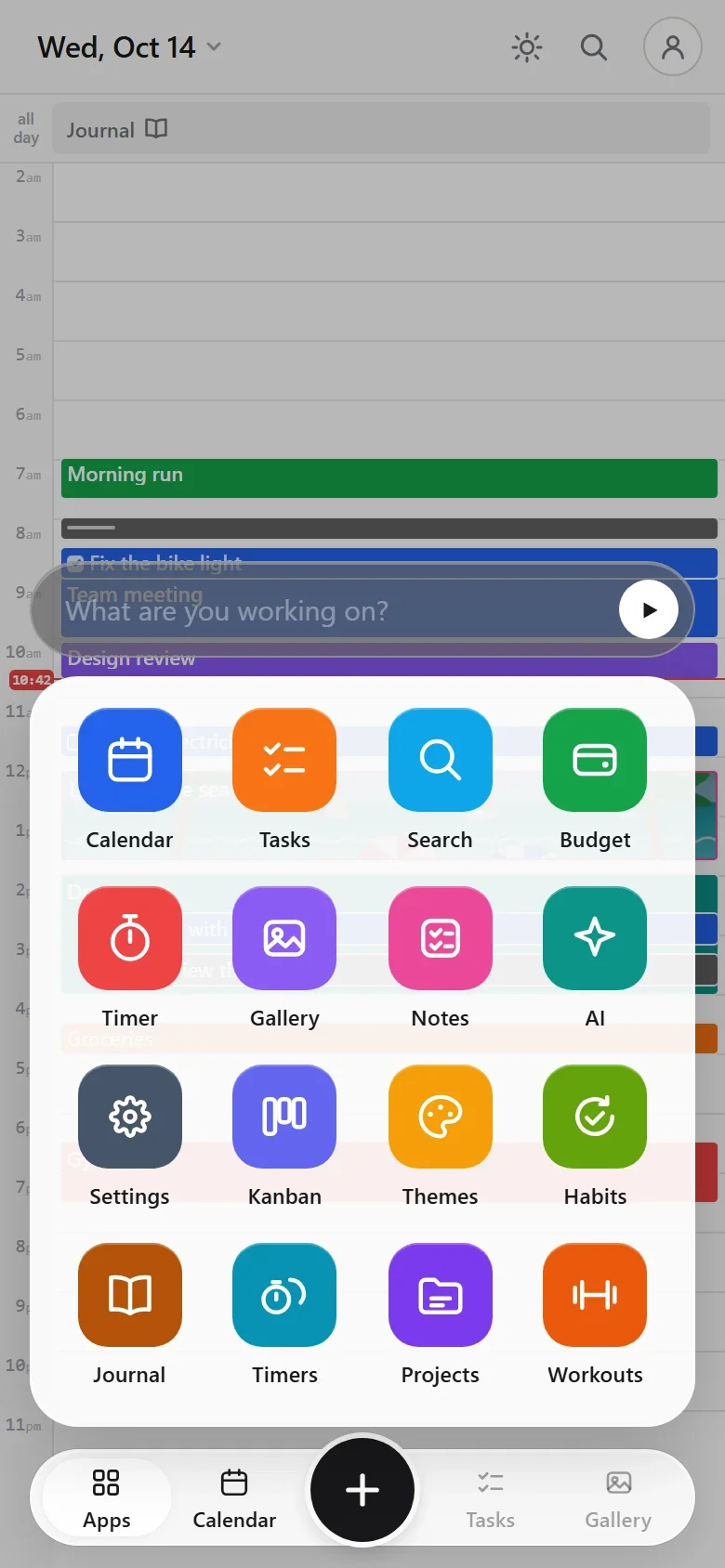
Hold any app to start customizing
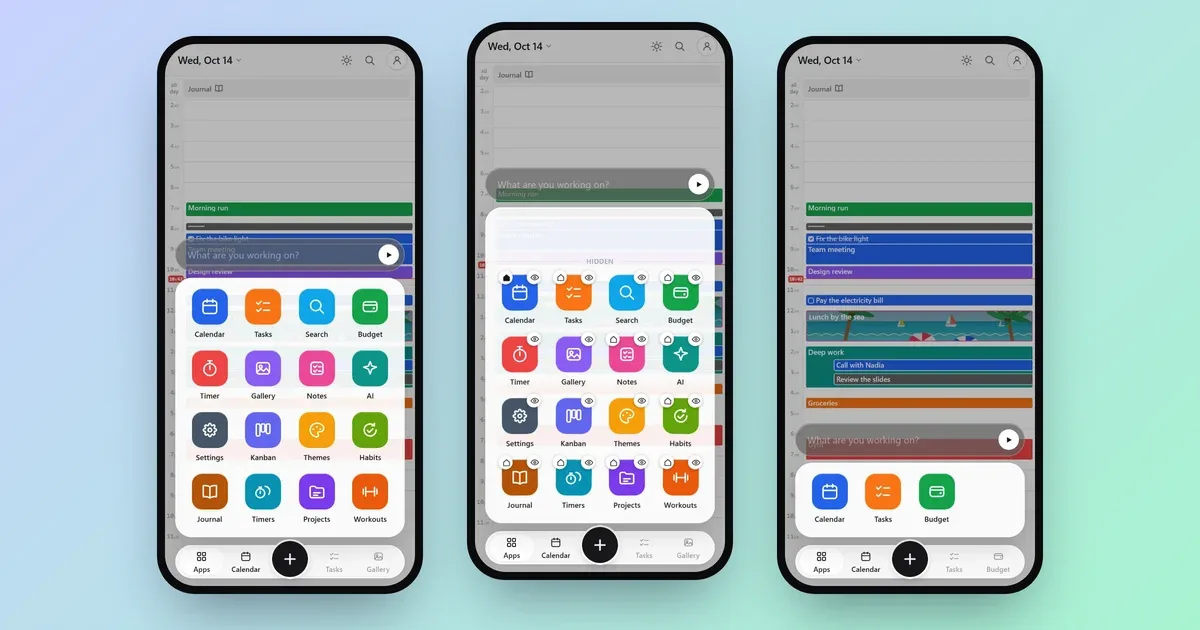
Open the Apps drawer and hold any app for a moment. The drawer goes into edit mode, and every app gets two small buttons:
- The eye hides the app. Hidden apps move up into a Hidden row, out of your way. Tap the eye again to bring one back.
- The home button makes that app the first screen you see when you open Calengaroo.
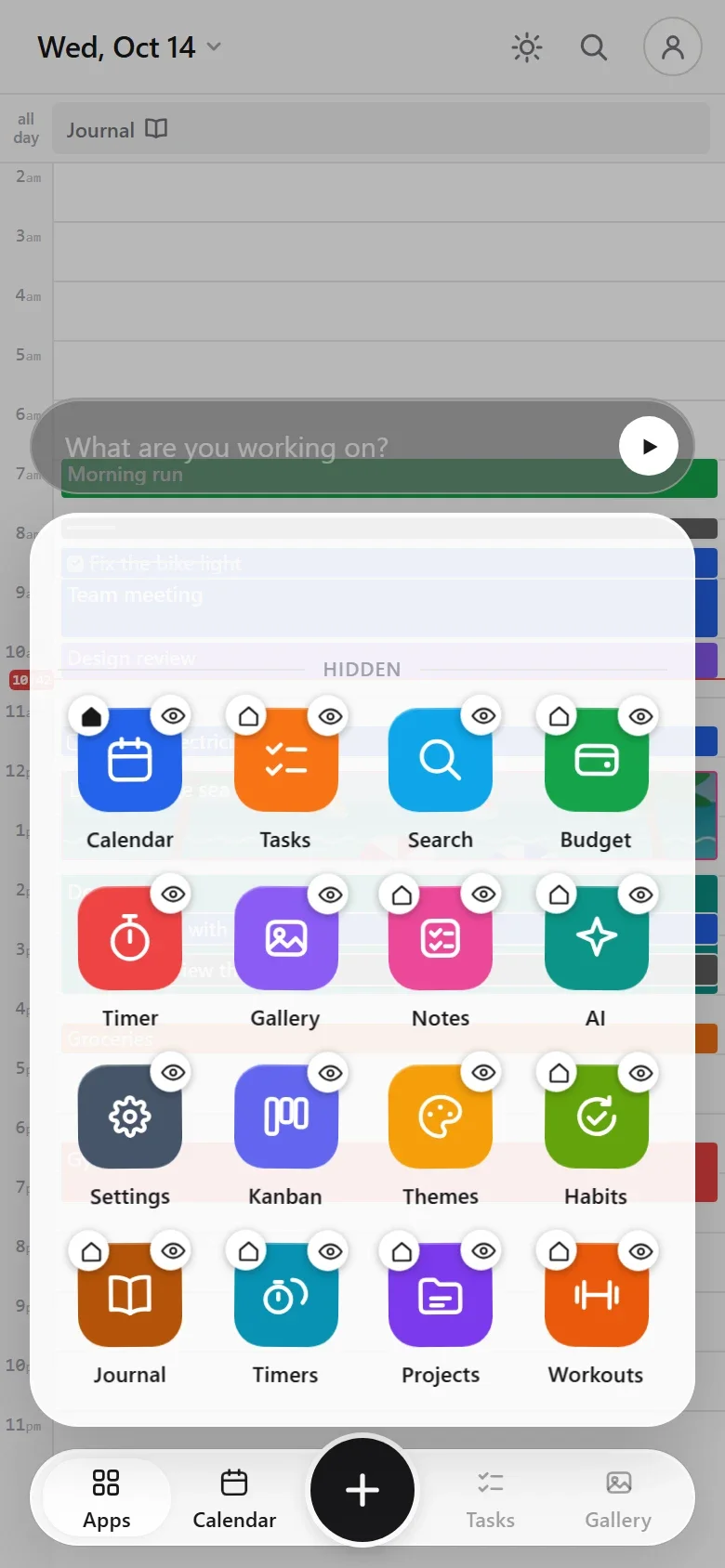
In edit mode you can also drag apps around to put them in the order you like. Drag one up into the Hidden row to hide it, or down out of it to show it again.
Put your favorites on the bottom bar
The bar at the bottom has three spots for apps, around the big + button. By default they are Calendar, Tasks and Gallery. But any app can go there.
In edit mode, drag an app onto the bar and drop it on the spot you want. That’s it.
The Apps button and the + button always stay where they are, so you never lose your way.
Example: only calendar, tasks and money
Say you only care about three things: your calendar, your tasks and your budget. Here is the whole setup:
- Open Apps and hold any app.
- Tap the eye on every app except Calendar, Tasks and Budget.
- Drag Budget onto the bottom bar, in place of Gallery.
Now the drawer shows just your three apps, and all three sit on the bottom bar, one tap away.
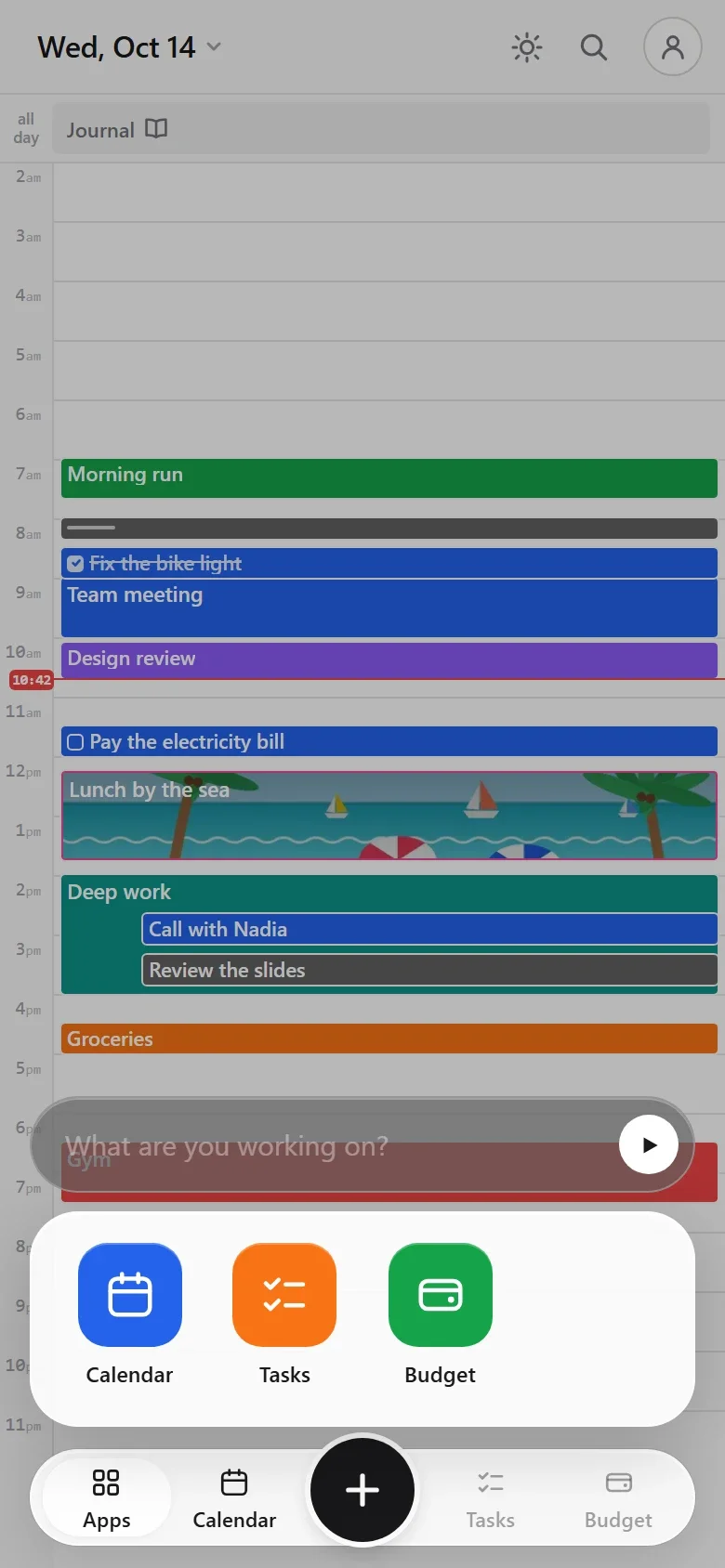
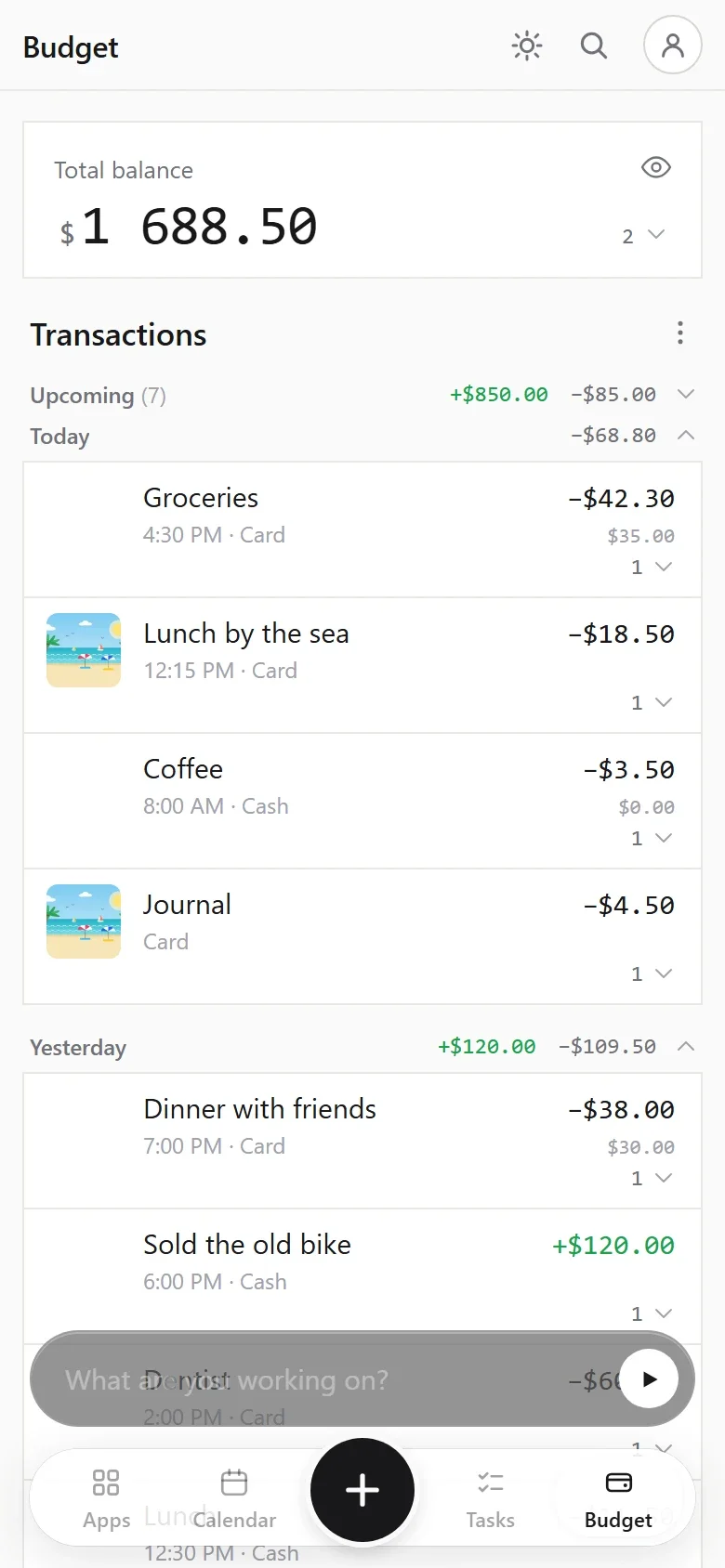
Changed your mind? Nothing is deleted. Hiding an app only hides its button: your data stays safe, and you can bring the app back any time.
Your habits and journal, right on the calendar
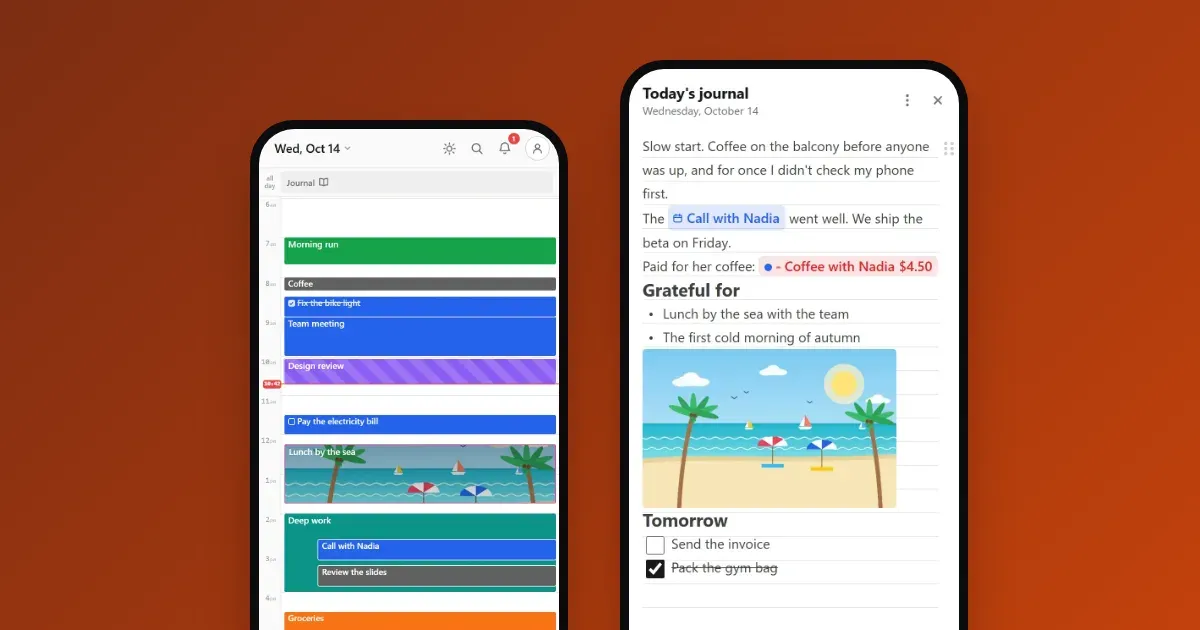
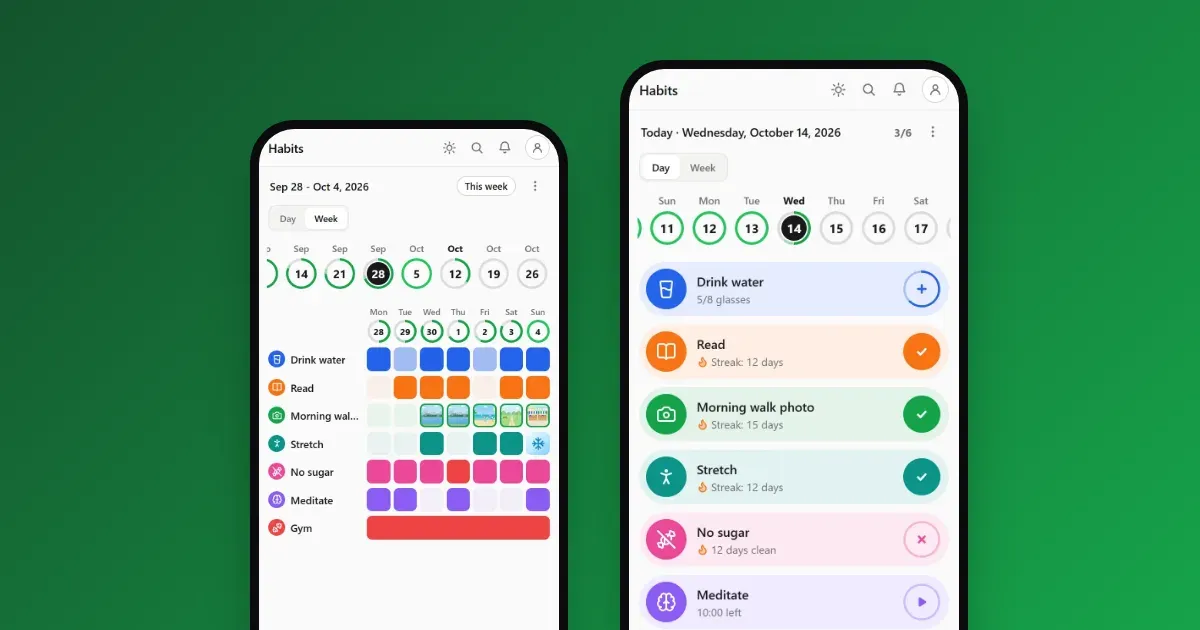
Two apps can also live inside your calendar: Habits and Journal. Each shows as a small card at the top of the day, in the all-day row.
- The Habits card shows your habits as little icons and your score for the day. Tap it to tick them without leaving the calendar.
- The Journal card opens that day’s journal page.
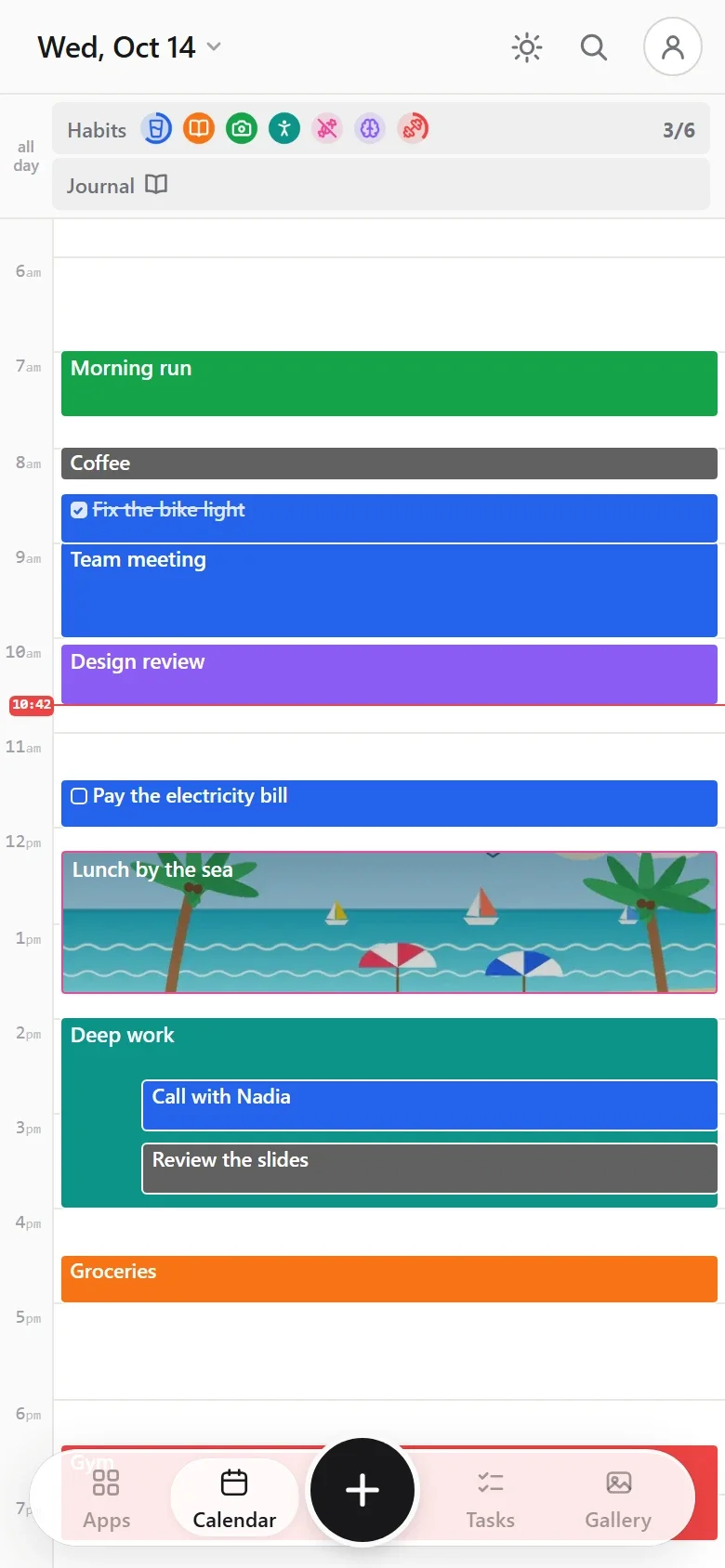
To show or hide them, tap the date at the top of the calendar. In the side panel, under Calendars, you’ll find Habits and Journal. Tick them to show their cards, untick them to hide.
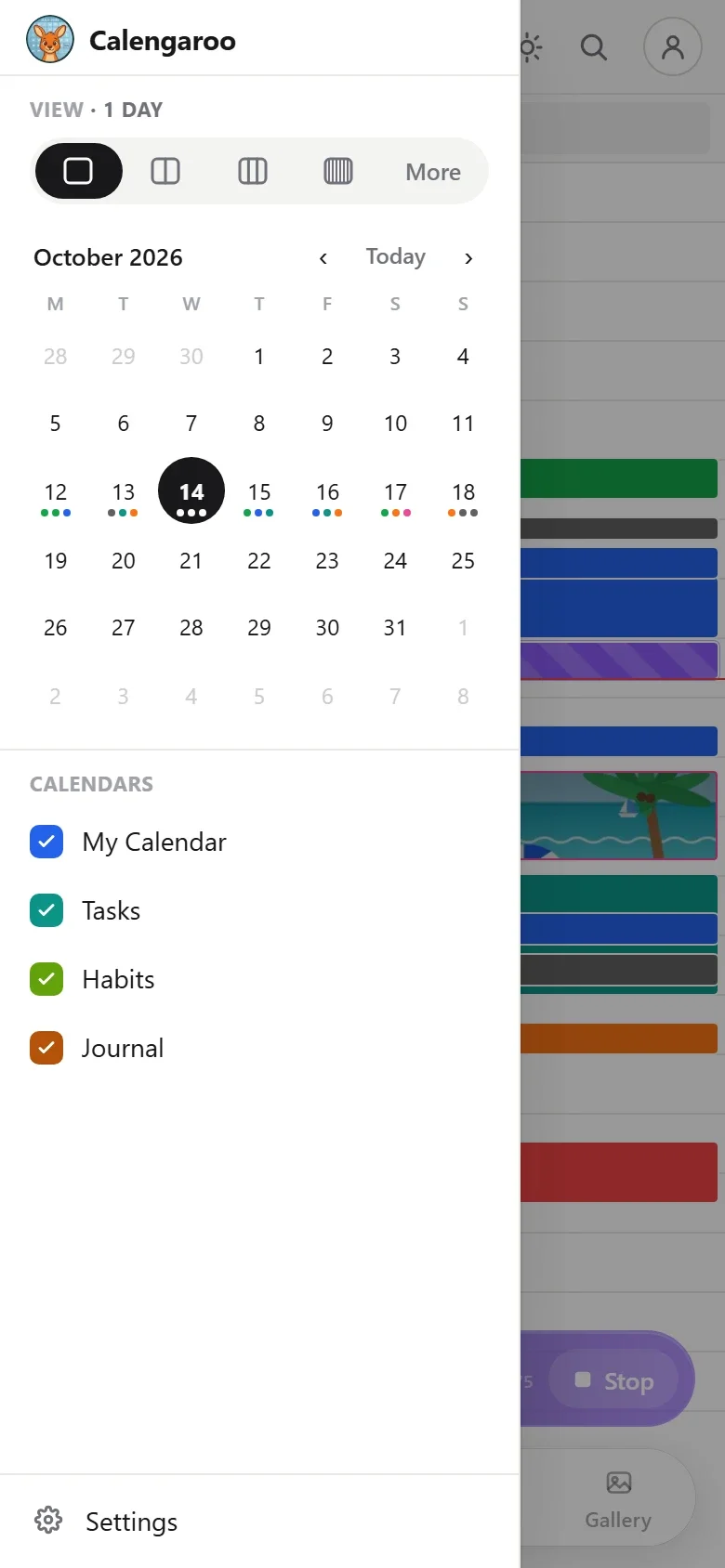
By default, the Journal card shows only on days you wrote something. From the journal’s menu, you can choose to show it on every day.
Why this matters for ADHD
Most apps decide for you what’s on the screen. Every button you don’t need still pulls at your attention, a little, every time you open the app.
Calengaroo lets you remove that pull. Fewer buttons means fewer choices, and fewer choices means you get to what you came for faster. One less tap, one less thing to think about, every single day.
Calengaroo is in beta, and it gets better every day
Calengaroo is still in beta. A lot is being improved and redesigned every single day. The app already looks a lot better than it did a few months ago, and it keeps getting better.
That’s also why your ideas matter so much right now. If you have a design idea, an idea that would save even one single click, or a way to make anything simpler and more minimal, I want to hear it. Write to me at sparpouhy@gmail.com. I’m the developer, I have ADHD too, and many features in Calengaroo started as a message from someone using it. I read and answer every message.
Common questions
Can I hide the calendar?
Yes. Every app can be hidden, even the calendar. Keep only what you use.
Do hidden apps lose their data?
No. Hiding an app only hides its button. Everything inside it stays, and it comes back as it was when you show the app again.
Can I choose which app opens first?
Yes. In edit mode, tap the home button on the app you want. Next time you open Calengaroo, it opens there.
Can I change the apps on the bottom bar?
Yes. In edit mode, drag any app onto one of the three spots on the bar.